
Many IT managers assume that paying more for a VPS automatically means better performance for remote teams. That assumption is wrong, and it's costing Irish businesses real money. A 2025 benchmark study found that price had almost zero correlation with performance among major VPS providers. For IT decision-makers managing distributed teams across Ireland, this matters enormously. The wrong VPS choice leads to sluggish remote desktop sessions, security gaps, and frustrated staff. This guide cuts through the noise and gives you a practical framework for selecting, evaluating, and managing VPS infrastructure that actually supports your remote workforce.
Table of Contents
- Understanding VPS: The foundation of remote work environments
- Cost versus performance: Breaking the price myth
- Critical features for remote work: What Irish IT decision-makers must prioritize
- Evaluating and managing VPS: Best practices for remote team enablement
- Why performance transparency will define the future of remote IT
- Empower your remote teams with the right VPS solution
- Frequently asked questions
Key Takeaways
| Point | Details |
|---|---|
| Price does not equal performance | Choose VPS providers based on independent benchmarks, not just cost. |
| Prioritize real-world metrics | Focus on performance per dollar and consistency rather than marketing terms. |
| Critical features checklist | Ensure security, uptime, network stability, and scalability to empower remote work. |
| Evaluate with your exact needs | Run practical tests and reviews to select and manage the best VPS for your team. |
Understanding VPS: The foundation of remote work environments
A VPS, or virtual private server, is a virtualized computing environment that runs on shared physical hardware but operates as if it were a dedicated machine. Each VPS gets its own allocated CPU, RAM, and storage, completely isolated from other tenants on the same host. That isolation is what makes a VPS fundamentally different from shared hosting, and why it's the right foundation for business remote work.
For distributed teams, a VPS provides something critical: a stable, always-on environment that employees can connect to from anywhere. Whether your team is logging in from Dublin, Cork, or working from home in Galway, they all access the same centralized applications, files, and configurations. There's no "it works on my machine" problem because everyone is working on the same machine.
"A VPS enables secure, isolated, always-on environments for remote workers, giving IT teams centralized control over applications, data, and access policies."
Here's where many businesses get real value from Windows VPS hosting:
- Remote application hosting: Run ERP systems, accounting software like Sage or Xero, and CRM platforms centrally, accessible via Remote Desktop Services (RDS)
- Document management: Store and manage sensitive files in one secure location rather than scattered across employee laptops
- Secure access control: Enforce user permissions, multi-factor authentication, and VPN tunneling from a single administrative point
- Business continuity: If an employee's laptop fails, they log in from another device and pick up exactly where they left off
The always-on nature of a VPS also means your applications are available 24/7, not just when someone's laptop is powered on. For Irish businesses with clients or partners in different time zones, that reliability is not optional. And despite what many vendors imply, that reliability has very little to do with how much you spend. Price had almost zero correlation with real-world performance, which means your procurement strategy needs to shift from budget-based to benchmark-based.
Cost versus performance: Breaking the price myth
Let's get specific. A VPS benchmark study introduced a "Performance Per Dollar (PPD)" metric, and the results were striking. Some of the highest-priced providers ranked near the bottom of the PPD scale, while mid-range providers consistently outperformed their more expensive competitors on CPU throughput, memory speed, and disk I/O.
For IT managers evaluating choosing high-performance VPS hosting, this means the benchmark table below is far more useful than a pricing page:
| Metric | Why it matters for remote work | What to look for |
|---|---|---|
| CPU performance | Drives application responsiveness | Consistent scores under sustained load |
| Memory speed | Affects multi-user session quality | Low variance across test runs |
| Disk I/O (NVMe) | Critical for database and file access | High throughput, low latency |
| Network stability | Determines connection quality | Low packet loss, stable ping |
| Tail latency (P99) | Reveals worst-case user experience | Should stay close to median latency |
That last row, tail latency, deserves special attention. Tail latency refers to the response time experienced by the slowest 1% of requests. In a remote work context, this translates directly to the occasional freeze, lag spike, or dropped session that your most demanding users will report. A provider might advertise excellent average latency while hiding terrible tail latency in the fine print.
Pro Tip: When evaluating providers, ask specifically for P95 and P99 latency data, not just average response times. A provider that refuses to share this data is telling you something important.
The practical implication for Irish businesses is this: a VPS priced at €30 per month with strong benchmark scores will serve your remote team better than a €90 plan from a well-known brand with mediocre consistency. The PPD metric gives you a way to compare objectively rather than relying on marketing language. Stop letting brand recognition drive infrastructure decisions that affect every employee's daily experience.

Critical features for remote work: What Irish IT decision-makers must prioritize
Beyond headline specs and pricing, selecting the right VPS comes down to features that matter most for running distributed teams. Here's a focused checklist built specifically for the Irish business context.
Must-have features for remote work VPS:
- Guaranteed uptime SLA: Look for 99.9% or higher, with financial penalties if the provider misses it. Anything less is a risk to your team's productivity.
- NVMe enterprise storage: Traditional SSD is no longer sufficient for multi-user environments. NVMe drives deliver significantly faster read/write speeds, which matters when multiple remote users access shared databases simultaneously.
- Built-in firewall and VPN access: These are not optional extras. They are baseline security requirements, especially under GDPR obligations that apply to Irish businesses handling personal data.
- RDS licensing included: If you're running Windows Server for remote desktop access, make sure RDS (Remote Desktop Services) licensing is included. Licensing costs added separately can double your effective monthly cost.
- Automatic backups: Daily automated backups with point-in-time recovery protect your business from data loss without requiring manual IT intervention.
- Scalable resources: Your team size and application demands will change. A VPS that lets you add CPU cores or RAM without migrating to a new server saves significant downtime.
Irish law adds another layer of complexity. Under GDPR, personal data must be processed lawfully and protected with appropriate technical measures. Hosting on a VPS located within the EU is strongly advisable, and ideally within Ireland itself, to simplify data residency compliance. Your hosting provider should be able to confirm where your data physically resides and provide documentation for your compliance records.
IT managers should also look beyond marketing labels like "optimized" or "premium" and instead consider benchmark methodology that reflects real workloads. These labels have no standardized definition. A plan marketed as "optimized for business" might simply mean it costs more.
Here's a numbered checklist for your VPS evaluation process:
- Confirm data center location and GDPR compliance documentation
- Request independent benchmark results for CPU, memory, disk, and network
- Verify RDS licensing terms if deploying Windows Server for multi-user access
- Test remote desktop session quality during a trial period under realistic load
- Review backup frequency, retention period, and recovery time objectives
- Confirm scalability options and the process for adding resources without downtime
Pro Tip: Run a remote access setup test with at least five concurrent users during your trial period. Single-user performance rarely reveals the bottlenecks that emerge under real team conditions.
The pitfall most IT managers fall into is selecting a plan based on what looks impressive in a comparison table rather than what performs under actual remote work conditions. A VPS with 8 CPU cores that are heavily over-provisioned will underperform a 4-core plan on a less crowded host. The only way to know is to test.
Evaluating and managing VPS: Best practices for remote team enablement
After understanding what to look for, here's how to evaluate, deploy, and continually refine your VPS setup for remote work success. This is where theory becomes operational practice.
Step-by-step evaluation framework:
- Define your workload profile: List every application your remote team uses, estimate concurrent user counts, and identify peak usage windows. A 10-person accounting team running Sage simultaneously at month-end creates very different demands than the same team checking email.
- Run a structured benchmark before committing: Use tools like Geekbench, fio for disk I/O, and iperf for network throughput. Document results from at least two providers side by side.
- Simulate peak load during the trial: Don't just test at 9am on a Tuesday. Test during your actual peak hours with realistic user counts. Benchmarks that reflect real workloads and performance consistency are what actually predict reliable remote team support.
- Monitor tail latency, not just averages: Set up basic monitoring with tools like Netdata or Prometheus to track P95 and P99 response times over a two-week period.
- Review quarterly: Your team's needs evolve. Schedule a quarterly review of resource utilization, incident logs, and user-reported issues.
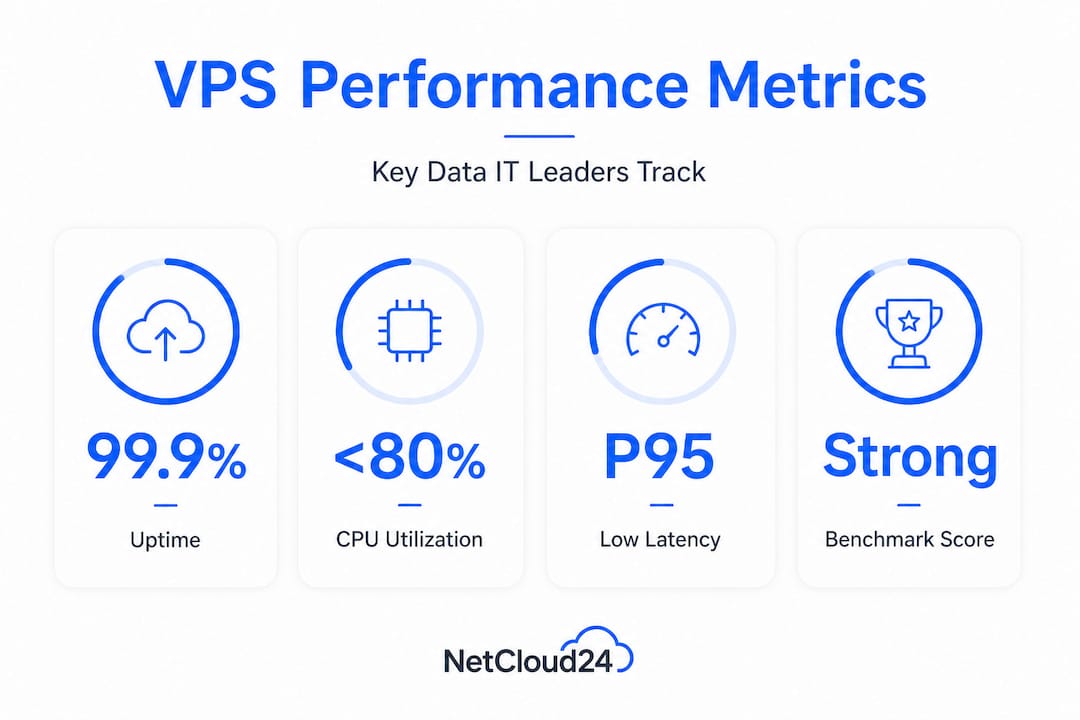
Here's a practical data table to guide your ongoing performance monitoring:
| Metric | Acceptable threshold | Action if exceeded |
|---|---|---|
| CPU utilization (peak) | Below 80% | Scale up CPU allocation |
| Memory utilization | Below 75% | Add RAM or optimize apps |
| Disk read latency | Under 1ms (NVMe) | Check for I/O contention |
| Network packet loss | Under 0.1% | Escalate to provider |
| Remote session lag | Under 50ms round-trip | Review network path or VPN config |
| Monthly downtime | Under 43 minutes (99.9%) | Trigger SLA review |
Mini-benchmarking between providers doesn't require a large budget. Spin up the smallest available plan from two competing providers, run identical workloads for 72 hours, and compare the results across the metrics above. The cost of a 72-hour trial is negligible compared to the cost of locking into a 12-month contract with a provider that underperforms under real conditions.
For application hosting on VPS, the deployment phase is also where many teams make avoidable mistakes. Skipping the configuration of resource limits per user session, for example, allows one heavy user to degrade the experience for everyone else on the same server. Windows Server's built-in resource management tools let you cap per-session CPU and memory usage, which is essential for multi-user environments.
Pro Tip: Document your baseline performance metrics on day one of deployment. Without a baseline, you have no objective way to detect gradual performance degradation over time, which is far more common than sudden outages.
Why performance transparency will define the future of remote IT
Here's the uncomfortable reality that most VPS vendors don't want you to think about: the hosting market is saturated with marketing language that means almost nothing. Words like "enterprise-grade," "high-performance," and "optimized" appear on the pricing pages of providers whose actual benchmark scores range from excellent to embarrassing. And because most IT managers are busy, many purchasing decisions still come down to brand recognition and price.
That's a problem that will get worse before it gets better. As remote work becomes a permanent feature of Irish business operations, the demands on VPS infrastructure will intensify. More concurrent users, heavier application workloads, and stricter compliance requirements will expose the gap between providers who can actually deliver and those who can only market effectively.
The IT leaders who will consistently outperform their peers are the ones who demand verifiable data before signing contracts. Remote teams can experience intermittent slowdowns under load when decision-makers neglect performance consistency in their VPS selection. Those slowdowns don't show up in a vendor's marketing materials. They show up in your team's productivity reports and your support ticket queue.
Our view is that performance transparency should be a non-negotiable procurement standard. If a provider can't share independent benchmark results or won't let you run a meaningful trial, that tells you everything. The vendors worth your business are the ones who welcome scrutiny because they know their infrastructure holds up under it. Demand test results before committing, and build a habit of re-evaluating vendors as your usage patterns evolve. The hosting landscape changes, and loyalty to a provider who no longer meets your performance standards is not a virtue.
Empower your remote teams with the right VPS solution
The gap between a remote team that thrives and one that struggles often comes down to the quality of the infrastructure underneath them. Choosing a VPS based on verified performance rather than price or brand is the single most impactful decision you can make for your distributed workforce.

At ie.netcloud24.com, we've built our platform specifically for Irish businesses that need dependable, secure, and scalable remote access. Our enterprise VPS solutions for remote access include Windows Server with RDS licensing, NVMe enterprise storage, built-in VPN and firewall, and automatic backups, all pre-configured and ready within five minutes. We support integration with Sage, Xero, and other business applications your team already uses. If you're ready to move from marketing promises to measurable performance, explore our secure hosting for Irish businesses and see what enterprise-grade infrastructure actually looks like in practice.
Frequently asked questions
How does a VPS improve remote team productivity?
A VPS provides reliable, secure, and centralized access to essential apps and files, reducing downtime and enabling consistent collaboration regardless of where team members are located. Because everyone connects to the same environment, IT teams can manage updates, security, and configurations once rather than across dozens of individual devices.
What benchmarks should IT managers trust when comparing VPS providers?
Trust independent benchmarks that measure performance consistency, tail latency, and price-to-performance ratios rather than advertised specs alone. Benchmarks that reflect real workloads and performance consistency are the most reliable predictors of how a VPS will behave under actual remote team conditions.
Is it worth paying for a "premium" VPS for remote work?
Premium pricing does not guarantee better remote work performance. Research confirms that price had almost zero correlation with actual performance, so always validate claims with real benchmark data before committing to a higher-cost plan.
How do tail latency and performance consistency affect remote access?
High tail latency causes the worst-case delays your team experiences, such as session freezes and application lag during peak usage. Remote teams can experience intermittent slowdowns under load when providers are chosen without evaluating performance consistency, making this metric one of the most important to track.