
Most IT managers encounter high-performance VPS hosting and assume it is simply a cheaper path to dedicated server power. That assumption costs businesses real money and real performance. Knowing why choose high-performance VPS goes beyond price comparisons. It is about guaranteed resources, isolated security environments, and the kind of consistent application speed that keeps remote teams productive and data protected. If you manage infrastructure for a growing business, the difference between VPS and shared hosting is not incremental. It is architectural.
Table of Contents
- Key takeaways
- Why choose high-performance VPS: the architecture behind it
- Security and control for business-critical applications
- Performance benchmarks: speed, uptime, and scalability
- Real-world use cases for IT managers and business owners
- How to choose the right VPS provider
- My take on what most IT managers get wrong
- Why Netcloud24 is built for this
- FAQ
Key takeaways
| Point | Details |
|---|---|
| Dedicated resources matter | VPS guarantees CPU, RAM, and storage allocation so one tenant's traffic never slows your applications. |
| Security isolation is built in | Root access and network isolation let you configure firewalls and backups specific to your compliance needs. |
| Latency directly affects productivity | Data centers close to your users deliver 20 to 40ms ping times that keep remote desktop sessions responsive. |
| Scalability without downtime | You can upgrade RAM, CPU, and storage in real time as your business grows, without migrating servers. |
| Managed VPS reduces IT overhead | Providers handling patching, monitoring, and backups free your team to focus on core operations. |
Why choose high-performance VPS: the architecture behind it
Shared hosting puts dozens or hundreds of websites on a single physical server. Every tenant competes for the same CPU cycles, RAM, and disk I/O. When a neighbor's site spikes in traffic, your application slows down. That is the "noisy neighbor" problem, and it is structurally impossible to fix in a shared environment.
A high-performance VPS works differently. A hypervisor carves the physical server into isolated virtual machines, each with guaranteed resource allocation that cannot be borrowed by another tenant. Your CPU cores, your RAM, your NVMe storage — they belong to your environment alone.
Here is what that means in practice for the components that matter most:
- CPU cores: Dedicated vCPU allocation prevents processing bottlenecks during peak application loads, whether you are running an ERP system or a database-heavy accounting platform.
- RAM: Fixed memory allocation keeps application response times predictable. No shared pool, no degradation.
- NVMe storage: NVMe drives operate at read/write speeds four to six times faster than traditional SSDs. For database queries and file-intensive applications, this is not a minor upgrade.
- Network bandwidth: Dedicated bandwidth ensures consistent throughput for remote desktop connections, file transfers, and API calls.
Pro Tip: When reviewing VPS specs, always confirm whether CPU and RAM are dedicated or "burstable." Burstable allocations can look impressive on paper but behave like shared resources under sustained load.
The result is an environment where application performance is predictable. That predictability is what makes high-performance VPS the right foundation for business-grade hosting involving real-time data and remote access.

Security and control for business-critical applications
Security in shared hosting is largely out of your hands. You share an IP address, file system partitions, and network interfaces with tenants you know nothing about. One compromised account on the same server creates exposure for everyone.
VPS isolation changes this equation. Your virtual machine operates as an independent system with its own network stack. A security breach in another tenant's environment cannot propagate to yours through the hypervisor layer. For businesses handling financial records, customer data, or healthcare information, that boundary is not optional.
Root or administrator access gives your IT team full control over the security configuration:
- Deploy and configure your own firewall rules at the OS level.
- Install endpoint protection software tailored to your compliance framework.
- Set up automated backup schedules and define your own retention policies.
- Restrict access by IP address or enforce VPN-only connections for remote desktop sessions.
- Run vulnerability scans and apply patches on your own timeline.
This level of control is directly relevant to GDPR compliance, which requires organizations to demonstrate specific data protection measures. Shared hosting cannot give you that audit trail. A well-configured VPS can.
Pro Tip: Combine VPN access with IP whitelisting for remote desktop logins. This single configuration step eliminates the majority of brute-force attack vectors targeting RDS environments.
Understanding the security advantages for business is what separates companies that treat VPS as a commodity from those that use it as a security asset.
Performance benchmarks: speed, uptime, and scalability
Numbers matter here. When IT managers ask why use VPS servers over shared alternatives, the performance data makes the case.
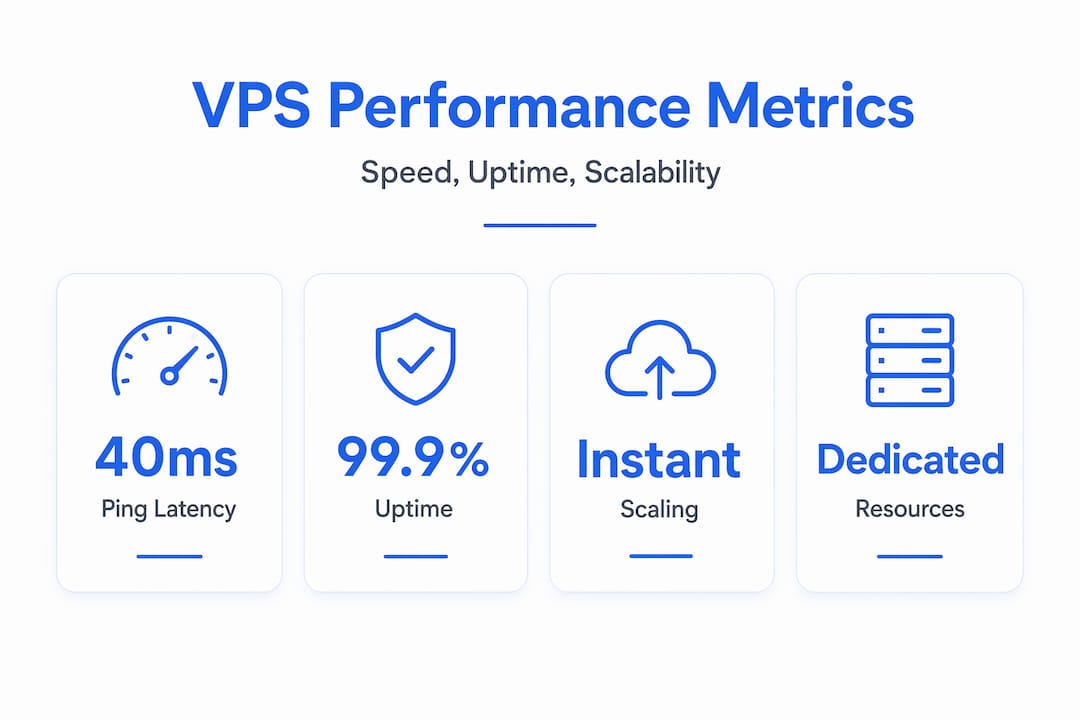
Latency
VPS hosting delivers ping times typically in the 20 to 40ms range when your data center is geographically close to your users. For remote desktop work, anything above 80ms becomes noticeable as input lag. For business applications requiring real-time data exchange, latency under 50ms is the practical threshold.
Uptime reliability
Modern VPS providers commonly guarantee 99.9% uptime or higher through redundant power, RAID storage arrays, and 24/7 infrastructure monitoring. At 99.9%, your maximum annual downtime is roughly 8.7 hours. Many providers now offer 99.99%, which brings that figure under an hour per year. For businesses running remote operations across multiple time zones, that distinction matters.
Scalability without migration
This is one of the most underappreciated benefits of high-performance VPS features. When your team grows or a new application pushes resource limits, scaling CPU, RAM, and storage happens in real time without taking your environment offline. Compare that to a dedicated server upgrade, which typically requires scheduling downtime and physically swapping hardware.
| Factor | Shared hosting | High-performance VPS | Dedicated server |
|---|---|---|---|
| Resource guarantee | None | Yes, dedicated | Yes, full hardware |
| Typical latency | 80ms+ | 20 to 40ms | 10 to 20ms |
| Uptime SLA | 99.5% or less | 99.9% to 99.99% | 99.9% to 99.99% |
| Scalability | Limited | Real-time, no downtime | Requires hardware change |
| Cost relative to value | Low cost, low performance | Strong value for most businesses | High cost, maximum performance |
For the majority of growing businesses, the performance gap between VPS and dedicated hosting is marginal. The cost gap is not. That is why affordable high-performance VPS is the standard infrastructure choice for IT teams managing between 10 and 500 users.
Real-world use cases for IT managers and business owners
Understanding the best high-performance VPS applications requires looking at how actual businesses deploy them. Here are five scenarios where VPS consistently delivers:
-
Remote Desktop Services (RDS) hosting: A distributed team of 30 accountants accessing a shared Sage or Xero environment over RDS needs consistent, low-latency connections. VPS for remote desktop provides the dedicated resources and VPN integration to keep sessions stable regardless of how many users connect simultaneously.
-
ERP and database application hosting: Applications like Microsoft Dynamics or SAP Business One require reliable database I/O and predictable RAM availability. A high-performance VPS with NVMe storage and dedicated SQL Server resources handles multi-user query loads without degradation.
-
SaaS product delivery: If your business delivers software to clients, consistent uptime and speed for SaaS platforms are non-negotiable. VPS environments allow you to configure the exact stack your application requires, from runtime environments to database engines, without fighting shared platform restrictions.
-
Development and staging workflows: IT teams running parallel development and production environments benefit from VPS isolation. Spin up a staging server that mirrors production exactly, test updates, then promote changes with confidence. The cost of a second VPS instance is far lower than the cost of a production outage caused by untested code.
-
Sensitive data processing: Finance, legal, and healthcare businesses processing personally identifiable information need environments where data access, transfer, and storage are all auditable. A configured VPS meets that requirement in ways that shared hosting structurally cannot.
How to choose the right VPS provider
Evaluating providers for why choose managed VPS services requires looking past marketing numbers. Here is what actually differentiates a provider worth trusting:
- Storage type: Always confirm NVMe over standard SSD. The performance difference in database-heavy workloads is measurable, not theoretical.
- Data center location: Geographic proximity reduces latency significantly. If your team is in Ireland, a Dublin or European data center will outperform a US-based one for daily operations.
- Uptime SLA and compensation: A 99.9% SLA without a defined compensation model for breaches is a marketing statement, not a contract. Read the terms.
- Managed versus unmanaged: Managed VPS includes patching, monitoring, and support. Unmanaged gives you more control but requires your team to handle OS-level maintenance. Most business owners should default to managed unless they have dedicated server administrators.
- Support responsiveness: Test response times before committing. An 8-hour response window for a critical outage is not enterprise support regardless of how it is labeled.
- Security certifications: Look for providers that document DDoS protection, firewall management, and data encryption at rest and in transit.
The decision between Linux and Windows VPS also shapes your costs. Linux VPS is generally more cost-effective and performs well for most web workloads, but if your business runs Windows-native applications like Microsoft SQL Server, IIS, or ASP.NET, a Windows VPS with proper licensing is the only path that avoids compatibility compromises.
My take on what most IT managers get wrong
I have worked with a lot of IT infrastructure decisions over the years, and the mistake I see repeatedly is this: organizations choose VPS specs based on current load, not projected load six months out. They pick the minimum configuration that passes today's performance tests and then face an urgent upgrade cycle three quarters later because they did not account for user growth or application complexity.
What I have found is that right-sizing a VPS requires mapping your actual workload patterns rather than reading benchmark sheets. An ERP system serving 20 concurrent users behaves very differently from 20 separate browser sessions. The RAM and CPU requirements are not equivalent, even if user counts are.
Geography is the other factor I see underestimated constantly. IT managers sometimes choose a provider based on price without checking data center location. The difference between a 25ms and a 75ms round-trip time sounds minor until your remote team is complaining about lag every day. High-performance server investment only pays off when the server is physically close enough to your users to deliver on that performance.
My honest advice: choose managed VPS over unmanaged unless you have a full-time server administrator. The cost difference rarely justifies the operational risk for businesses under 200 employees.
— Lukasz
Why Netcloud24 is built for this

Netcloud24 offers Windows VPS hosting with SQL Server and RDS built in, specifically designed for businesses that need dependable remote access and application management without the overhead of managing raw infrastructure. Environments are pre-configured and deploy in under five minutes, with NVMe enterprise storage, high availability architecture, and GDPR-compliant data handling built into every plan.
The platform supports multi-user Windows Server environments with RDS licensing included, making it a direct fit for teams using Sage, Xero, or any ERP application requiring concurrent remote sessions. Security measures include firewall management, VPN access, and automatic backups. If your business runs Windows-native software and needs fast, scalable VPS deployment in Ireland, Netcloud24 is worth a close look. Reach out to discuss a configuration matched to your workload.
FAQ
What is high-performance VPS hosting?
High-performance VPS hosting provides dedicated virtual resources including CPU, RAM, and NVMe storage within an isolated environment on shared physical hardware. Unlike shared hosting, resources are guaranteed and not affected by other tenants on the same server.
How does VPS compare to shared hosting for business applications?
VPS delivers significantly better performance, security isolation, and control than shared hosting. Shared hosting creates resource contention and limits your security configuration options, while VPS gives you a dedicated environment you can configure to match your compliance and performance requirements.
What uptime can I expect from a high-performance VPS?
Most reputable VPS providers guarantee 99.9% to 99.99% uptime through redundant infrastructure and 24/7 monitoring. That translates to less than 9 hours of potential downtime per year at 99.9%, and under one hour at 99.99%.
Should I choose managed or unmanaged VPS for my business?
For most businesses without a dedicated server administrator, managed VPS is the better choice. The provider handles OS patching, monitoring, and incident response, reducing operational risk and freeing your IT team for application-level work.
Why does data center location matter for VPS performance?
Server proximity directly determines latency. A data center close to your users keeps ping times in the 20 to 40ms range, which is critical for responsive remote desktop sessions and real-time application performance. A server on the wrong continent can add 100ms or more to every request.