
Not all VPS solutions are built for the demands of a real business. Many companies make the mistake of choosing a hosting plan based on price alone, only to discover that shared resources, unreliable uptime, and zero compliance support leave their operations exposed. For Irish business owners and IT managers running ERP systems, accounting software like Sage or Xero, or multi-user remote desktop environments, the gap between consumer-grade and business grade VPS is not just technical. It is the difference between a server that holds up under pressure and one that fails when it matters most. This guide breaks down exactly what sets business grade VPS apart, how to evaluate providers, and how to make the right decision for your organization.
Table of Contents
- What defines business grade VPS?
- How business grade VPS differs from standard or consumer hosting
- Managed versus unmanaged business grade VPS: Choosing the right fit
- Performance benchmarks and real-world business grade VPS results
- The uncomfortable truth: Why business grade VPS isn't about price
- Secure your enterprise with business grade VPS solutions
- Frequently asked questions
Key Takeaways
| Point | Details |
|---|---|
| Enterprise-level reliability | Business grade VPS uses dedicated resources and strict isolation for reliable uptime. |
| Compliance and security | Features like GDPR/SOC2, firewalls, and automated backups are standard for business grade VPS. |
| Managed vs unmanaged | Managed VPS reduces IT workload and ensures faster recovery, but costs more than unmanaged. |
| Superior performance | Benchmarks show business grade VPS significantly outperforms consumer VPS in real-world scenarios. |
| Scalable hosting | Rapid provisioning and API automation enable easy scaling for enterprise demands. |
What defines business grade VPS?
Having clarified the broader misconceptions, let's drill down into the nuts and bolts of business grade VPS and what makes it fundamentally different from standard offerings.
At its core, business grade VPS is engineered around one principle: your workloads must perform reliably, no matter what else is happening on the infrastructure around you. Consumer or budget VPS plans often cut corners with overselling, shared IOPS (input/output operations per second), and inconsistent CPU allocation. Business grade VPS eliminates all of that.
The Business VPS Core Features that define enterprise-class hosting include KVM virtualization for strict isolation, dedicated vCPU, RAM, and IOPS to eliminate noisy neighbor problems, NVMe storage for ultra-high throughput and low latency, full root access, rapid provisioning, and API automation for programmatic control.
Here is what each of those means in practice:
- KVM virtualization ensures that your virtual machine runs in complete isolation. No other tenant on the physical host can access your memory, processes, or storage. This is non-negotiable for regulated business environments.
- Dedicated vCPU and RAM mean you are not competing with other users for compute resources. On cheap shared VPS plans, a spike in traffic on another tenant's account can throttle your application's performance without warning.
- NVMe enterprise storage delivers dramatically faster read and write speeds compared to older SATA SSD or spinning disk storage. For database-intensive applications, this translates directly into faster query responses and better user experience.
- Full root access gives your IT team complete control over the operating system, installed packages, firewall rules, and configuration. This is critical for enterprise applications that require specific software stacks or custom security configurations.
- Rapid provisioning and API automation allow your team to spin up new instances, clone environments, or scale resources programmatically, often within minutes.
"Business grade VPS is not just a faster server. It is infrastructure that has been architected to protect your data, guarantee your performance, and give your IT team the control they need to manage mission-critical workloads confidently."
For Irish businesses managing sensitive financial data or multi-user remote desktop access, reviewing your VPS security factors before committing to any provider is an essential step. Similarly, understanding cloud compliance in Ireland is vital, because GDPR obligations apply regardless of where your server physically sits.
How business grade VPS differs from standard or consumer hosting
With core technical aspects defined, contrast enterprise-grade capabilities against typical consumer hosting to reveal what business users really need.
The most visible difference between business grade and consumer VPS is not raw specifications. It is the entire operational framework wrapped around those specifications. Speed matters, but what happens when something goes wrong? How fast does support respond? Is your data automatically protected? Is the platform legally compliant with Irish data protection law?

Enterprise VPS differentiators from consumer alternatives include priority support, automated daily backups with seven-day retention, DDoS protection, hardware firewalls, GDPR and SOC2 compliance, 99.99% uptime SLAs, zero resource overselling, and low-density node configurations.
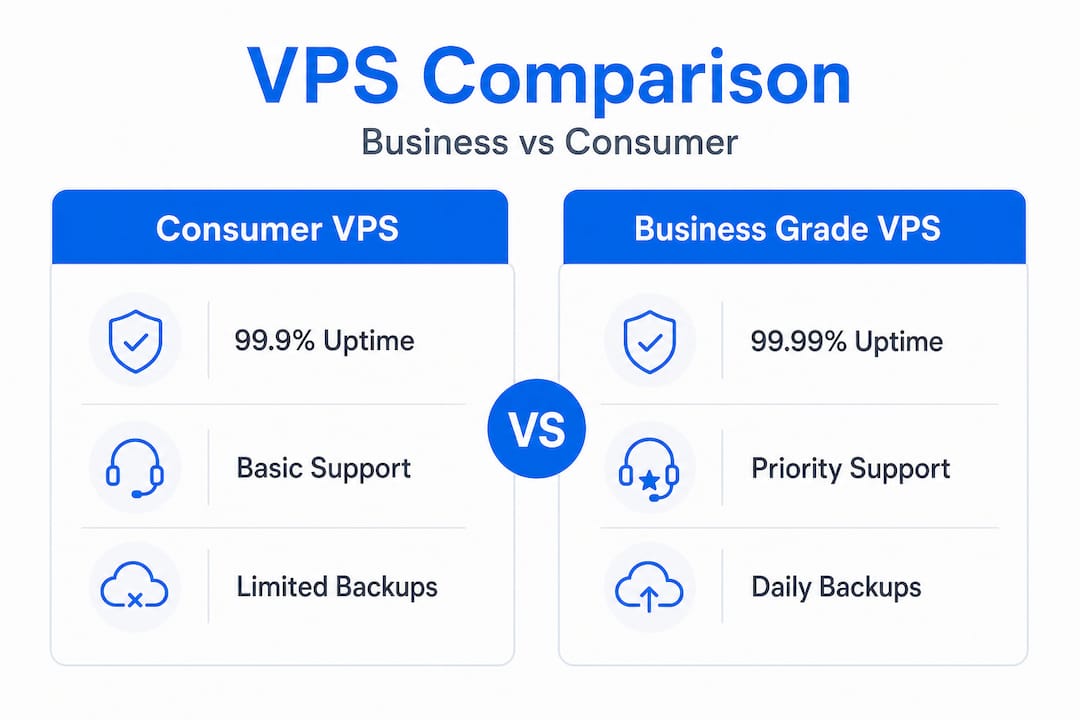
Here is a direct comparison of what you actually get:
| Feature | Consumer VPS | Business grade VPS |
|---|---|---|
| Uptime SLA | 99.0% to 99.9% | 99.99% |
| Support response time | Hours to days | Minutes (priority queue) |
| Automated backups | Optional or manual | Daily, 7-day retention |
| DDoS protection | Basic or none | Enterprise-grade, always on |
| GDPR/SOC2 compliance | Rarely documented | Standard requirement |
| Resource allocation | Shared (oversold) | Dedicated, guaranteed |
| Node density | High (cost-optimized) | Low (performance-optimized) |
A 99.99% uptime SLA might sound like a marketing number, but it represents less than 53 minutes of downtime per year. Compare that to a 99.9% SLA, which allows almost nine hours of downtime annually. For a business running payroll software or customer-facing ERPs, nine hours of annual outage is a serious operational and reputational risk.
Beyond uptime, the compliance angle is increasingly important. Irish businesses operating under GDPR must be able to document where their data is stored, who can access it, and how it is protected. Consumer hosting providers rarely offer the documentation and audit trails that enterprise compliance requires. A proper secure enterprise VPS setup includes network isolation, encrypted storage, access controls, and logging features that a basic shared hosting plan simply cannot provide.
It is also worth considering that downtime and breaches carry financial consequences beyond lost productivity. Cyber insurance for businesses is increasingly required by insurers who want documented evidence of security controls before they will cover claims. A professional VPS hosting platform that supports compliance documentation directly reduces your insurance risk profile.
Managed versus unmanaged business grade VPS: Choosing the right fit
After seeing the pivotal enterprise features, the next major decision for IT leaders is whether to choose a managed or unmanaged solution and here is how to decide.
Many IT managers assume that unmanaged VPS is always the better deal because it gives them full control at a lower monthly cost. That logic breaks down quickly when you account for the actual time your team spends on routine maintenance tasks.
Managed VPS handles OS updates, security patching, server monitoring, and incident response, saving between 10 and 20 admin hours per month. Recovery time is also bounded by a formal SLA, typically between 15 and 60 minutes, which is critical for business continuity planning.
Here is a practical framework for making the decision:
- Assess your team's capacity. If your IT department is one or two people managing a broad scope of responsibilities, adding full VPS administration on top of that is a recipe for burnout and missed patches.
- Calculate the true cost of unmanaged hosting. Take your IT manager's hourly rate, multiply it by 15 admin hours per month, and compare that number to the price difference between managed and unmanaged VPS. The math often favors managed.
- Evaluate your recovery time requirements. If your business cannot tolerate more than an hour of server downtime, a managed SLA that guarantees 15 to 60-minute recovery is worth every cent.
- Consider your compliance obligations. Managed providers often include security patch documentation and audit logs, which are necessary for GDPR and SOC2 compliance reporting.
- Plan for growth. As your organization scales, managed VPS providers handle infrastructure complexity on your behalf, so your team can focus on business objectives rather than server hygiene.
| Managed VPS | Unmanaged VPS | |
|---|---|---|
| Monthly admin hours saved | 10 to 20 hours | 0 (team handles everything) |
| Typical cost premium | 2x to 5x base price | Lowest upfront cost |
| Recovery time SLA | 15 to 60 minutes | Depends on internal team |
| Compliance documentation | Included | Manual effort required |
| Best for | Small to mid IT teams | Large, specialized IT departments |
Pro Tip: Before ruling out managed VPS on cost alone, request a full breakdown of what the provider covers. Many managed plans include monitoring, automated backups, firewall management, and incident response that would otherwise require dedicated tooling and staff hours to replicate.
For teams supporting VPS for remote work, managed hosting reduces the risk of a misconfigured update taking down a remote desktop session during peak business hours, which is exactly the kind of incident that erodes trust in your IT infrastructure. Some organizations also rely on managed VPS for automation of time-sensitive workflows where any downtime directly impacts revenue.
Performance benchmarks and real-world business grade VPS results
Given the options, here is what real-world tests and benchmarks reveal about performance and reliability, vital for mission-critical apps.
Specifications on a sales page tell you what a server is theoretically capable of. Benchmarks tell you what it actually delivers under load, which is the number that matters for your users running accounting software or pulling data from an ERP system at 9:00 AM on a Monday.
VPS benchmark comparisons across major providers consistently reveal that premium business grade VPS delivers 60 to 80% better CPU consistency than cheap VPS alternatives during usage spikes, along with significantly faster disk and network I/O. That gap widens during peak demand, precisely the moment when your hosting needs to perform.
| Metric | Budget VPS | Business grade VPS |
|---|---|---|
| CPU consistency under load | Highly variable | 60 to 80% more consistent |
| NVMe sequential read speed | Shared SATA-class | Full NVMe throughput |
| Network I/O during spikes | Throttled | Dedicated bandwidth |
| Disk latency | 5 to 15ms | Under 1ms |
| Recovery from failure | Unguaranteed | SLA-bound |
What does that mean for a business running remote desktop sessions? It means the difference between users experiencing laggy screens and dropped connections versus a smooth, responsive work environment. For applications that process financial transactions or database queries, disk latency under 1ms versus 10ms changes how fast reports run and how many concurrent users the system can support without degrading.
- CPU consistency matters because accounting and ERP applications are CPU-intensive during bulk operations like payroll processing or end-of-month reconciliation.
- Disk I/O speed determines how quickly databases respond to concurrent read and write requests from multiple remote users.
- Network throughput affects how fast files upload, backups complete, and remote desktop sessions refresh.
- Recovery from failure determines your real-world uptime, not the theoretical maximum.
For pre-configured scalable VPS environments, benchmarks are especially important because you need to know the infrastructure will handle growth without requiring a full migration. A business adding 10 new remote desktop users should be able to scale vCPU and RAM without re-architecting everything from scratch. Stable performance also matters for VPS uptime in trading and other time-sensitive applications where even a few seconds of inconsistency causes measurable losses.
The uncomfortable truth: Why business grade VPS isn't about price
There is a pattern we see repeatedly among Irish IT managers who come to us after a bad experience with budget hosting. They chose a plan based on the monthly price, discovered performance issues during peak hours, experienced a support black hole during an outage, and ultimately spent more money migrating to a proper platform than they would have spent on business grade VPS from the beginning.
The uncomfortable truth is that choosing VPS hosting based on price is not a budget decision. It is a risk decision, and it is often the wrong one. When a server goes down during business hours, the cost is not the hosting bill. It is your staff sitting idle, your clients unable to access systems, and your reputation taking a hit that is very hard to quantify but very easy to feel.
What the best Irish IT managers evaluate instead is a short but demanding checklist. They look at SLA language, specifically whether recovery time is contractually guaranteed or just aspirational. They run benchmarks or request evidence of consistent performance under load. They ask for documentation on GDPR compliance, not just a checkbox on a features page. And they think about where they want to be in 18 months, not just what they need today.
Scalability is often the most underrated criterion. A VPS that handles your current load comfortably but cannot grow with you without a full migration is a liability disguised as a bargain. A Windows VPS hosting comparison focused on long-term total cost of ownership rather than monthly price almost always points toward business grade infrastructure.
The businesses that get this right treat their hosting infrastructure the same way they treat any other critical vendor relationship: with due diligence, clear expectations, and a preference for documented guarantees over verbal assurances.
Secure your enterprise with business grade VPS solutions
Irish businesses running remote desktop environments, ERP systems, or accounting applications need infrastructure that keeps pace with real operational demands, not just spec sheets. At Netcloud24 Ireland, we provide enterprise-grade Windows Server VPS with RDS licensing, NVMe storage, and environments ready to use within minutes.

Whether you are migrating from an aging on-premises server or replacing an unreliable hosting provider, our platform is built specifically for multi-user business access, GDPR compliance, and the performance your team expects. Our remote access VPS hosting solutions come pre-configured, secured, and backed by automated daily backups so your data stays protected from day one. Get in touch to explore the right plan for your organization's size, compliance requirements, and growth plans.
Frequently asked questions
How does business grade VPS ensure data privacy and compliance in Ireland?
Business grade VPS solutions include GDPR and SOC2 compliance features like hardware firewalls, encrypted storage, and automated daily backups, giving Irish businesses the audit trail and controls needed to meet regulatory obligations.
Is managed business grade VPS worth the extra cost for small IT teams?
Managed VPS saves 10 to 20 admin hours monthly by handling patching, monitoring, and security, making it a cost-effective choice for businesses without a dedicated server administration team.
What performance advantage does business grade VPS offer for remote desktop and enterprise apps?
Premium business grade VPS delivers 60 to 80% better CPU consistency and significantly faster disk I/O during peak loads, which directly translates into more responsive remote desktop sessions and faster application performance.
Why do businesses in Ireland need priority support and high uptime SLAs?
A 99.99% uptime SLA limits downtime to under 53 minutes per year, and priority support with SLA-bound recovery times between 15 and 60 minutes protects business continuity when infrastructure issues arise.
Can business grade VPS be quickly scaled for growing usage or applications?
Yes. Rapid provisioning and API automation are standard in business grade VPS, allowing IT teams to scale compute resources, add users, or clone environments programmatically without service interruptions.