
Most businesses assume their VPS is secure the moment it goes live. That assumption is the first and most expensive mistake you can make. The importance of secure VPS hosting goes far beyond signing up with a reputable provider. In practice, a misconfigured VPS sitting in an isolated environment is just a misconfigured server with fewer neighbors. With remote workforces now the norm rather than the exception, the stakes of getting this wrong include regulatory fines, breached customer data, and the kind of reputational damage that takes years to repair. This article breaks down what actually protects your business and what just sounds like it does.
Table of Contents
- Key takeaways
- Why secure VPS hosting matters for your business
- Compliance controls you can actually enforce on a VPS
- VPS vs. shared vs. dedicated: the real security tradeoff
- VPS security best practices that actually hold up
- Why secure VPS hosting pays for itself
- My perspective on where businesses get this wrong
- Enterprise-grade secure VPS hosting from Netcloud24
- FAQ
Key takeaways
| Point | Details |
|---|---|
| Isolation is a foundation, not a finish line | VPS architecture separates your environment from others, but active configuration determines actual security. |
| Compliance demands evidence, not claims | Audit readiness requires documented, traceable controls like MFA logs and VPN records, not just good intentions. |
| VPS beats shared hosting on cost-to-security ratio | You get close to dedicated-level protection at a fraction of the price, making it realistic for SMB budgets. |
| Patching and hardening are non-negotiable | An unpatched VPS can be more vulnerable than shared hosting; active management is the price of security. |
| Remote work amplifies every security gap | Distributed access points multiply exposure, making layered VPS security controls a business requirement, not a luxury. |
Why secure VPS hosting matters for your business
A Virtual Private Server gives your business a dedicated slice of a physical machine through a technology called a hypervisor. The hypervisor creates separate virtual machines, each with its own allocated CPU, RAM, and storage that other tenants cannot touch. Think of a physical server as an apartment building. Shared hosting puts everyone in one open-plan space where a neighbor's mess becomes your problem. A VPS gives each tenant a walled unit with a locked door.
The security implications of this are concrete. Hypervisor-level isolation prevents neighboring accounts from packet sniffing your traffic or accessing your memory space. Shared hosting cannot offer this. If one shared-hosting account gets compromised, privilege escalation attacks can reach adjacent accounts. A secure virtual private server blocks that lateral movement at the architecture level.
That said, isolation is not a complete security strategy. The hypervisor enforces memory separation, preventing one VPS from reading another's RAM, but what happens inside your virtual machine is entirely your responsibility. An open SSH port, a default password, or an unpatched web application will be exploited regardless of how good the underlying architecture is.
- VPS resources (CPU, RAM, storage) are dedicated to your account only
- Hypervisor creates hard boundaries that prevent cross-account access
- Your environment is isolated from performance and security problems caused by other tenants
- Full root or administrator access lets you configure exactly the controls you need
- Isolation does not protect against misconfiguration, weak credentials, or unpatched software inside your own environment
Pro Tip: When evaluating a VPS provider, ask specifically whether they use Type 1 (bare-metal) hypervisors like KVM or Hyper-V. These provide stronger isolation than Type 2 hypervisors because they run directly on the hardware without an intermediary operating system layer.
Compliance controls you can actually enforce on a VPS
The reason businesses need secure VPS goes beyond preventing hacks. Regulatory compliance requires technical controls that are simply not possible on shared infrastructure where you lack administrative access. GDPR, PCI DSS, HIPAA, and ISO 27001 all require you to demonstrate specific, documented controls. A VPS is the minimum viable platform for meeting most of them.
Start with remote access security. ISO 27001 Annex A for remote working explicitly requires controls such as VPN, Multi-Factor Authentication (MFA), and endpoint protection documentation. On shared hosting, you cannot enforce any of these at the infrastructure level. On a VPS, you control the firewall, the VPN configuration, and the access policies.
- Configure a site-to-site or client VPN so all remote employee traffic is encrypted in transit before reaching your server. OpenVPN, WireGuard, and Microsoft's built-in Windows VPN all work on a properly configured VPS.
- Enforce MFA on all administrative and user accounts. No exceptions. A compromised password without a second factor is a complete account takeover.
- Implement Zero Trust Network Access (ZTNA) principles by restricting lateral movement between services even within your own environment.
- Deploy endpoint protection including Mobile Device Management (MDM) and Endpoint Detection and Response (EDR) tools on every device connecting to the VPS.
- Automate OS patching through a scheduled maintenance process. Most regulatory frameworks treat an unpatched system as a failed control.
- Log everything and retain those logs. Compliance evidence requires MFA enforcement screenshots, VPN session records, and endpoint policy documentation, not verbal assurances.
Encryption is another area where VPS gives you the control you need. PCI DSS requires cardholder data to be unreadable at rest and in transit, with cryptographic key management that goes beyond full-disk encryption. Organizations frequently fail PCI audits because they encrypted only at the disk layer and treated that as sufficient. You need encryption at the application and database layers as well, which requires the administrative access that only a VPS or dedicated server provides.
Pro Tip: Map your controls to the specific standard you are pursuing before you configure anything. Retrofitting a running production server to meet ISO 27001 or PCI DSS is significantly harder and riskier than building to the standard from day one.

VPS vs. shared vs. dedicated: the real security tradeoff
Understanding the advantages of secure VPS requires an honest look at the alternatives. Each hosting model makes a different promise on the cost-versus-security spectrum, and the differences matter more than most buyers realize.
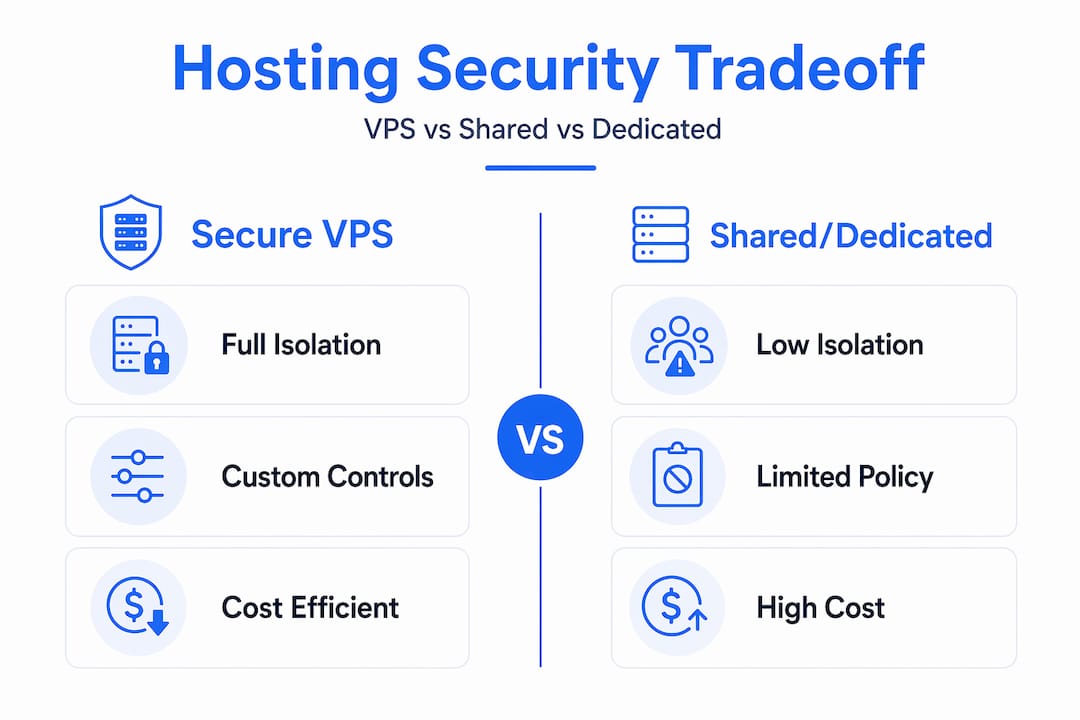
| Factor | Shared hosting | Secure VPS | Dedicated server |
|---|---|---|---|
| Resource isolation | None | Full | Full |
| Lateral movement risk | High | Very low | None |
| Admin access | None | Full | Full |
| Compliance suitability | Poor | Strong | Strongest |
| Relative cost | Low | Moderate | High |
| Ideal for | Personal sites | SMBs, remote teams | Large enterprises |
Shared hosting is genuinely risky for business use. You share resources with hundreds of other accounts, and a compromised neighbor can create instability or, in poorly configured environments, a path to your data. There is no firewall you control, no access policy you can enforce, and no audit trail you can generate independently.
Dedicated servers sit at the other end. Maximum isolation, maximum control, maximum cost. For most small and mid-sized businesses, the expense is difficult to justify when a well-configured VPS provides roughly 90% of dedicated server security at around 30% of the cost.
VPS hosting hits the practical sweet spot for businesses with compliance obligations and distributed teams. You get full administrative access to configure your security stack, guaranteed resource allocation so denial-of-service attacks on other tenants do not spill into your environment, and the flexibility to scale resources as your team and data needs grow.
VPS security best practices that actually hold up
Knowing the importance of VPS security is one thing. Implementing it is another. The following practices are the ones that make a measurable difference in real deployments, not just theoretical attack models.
- Harden the operating system immediately after provisioning. Disable unused services, remove default accounts, change all default credentials, and close every port that does not serve a defined business function.
- Configure a stateful firewall that denies all inbound traffic by default and whitelists only what is explicitly needed. Port 22 (SSH) or RDP should never be open to the public internet without additional protection.
- Install an Intrusion Detection System (IDS) or Intrusion Prevention System (IPS) to monitor traffic patterns and alert on anomalies. Tools like Fail2Ban provide basic brute-force protection and are free to run.
- Encrypt at multiple layers. Disk encryption protects against physical theft of the storage medium. Database-level and application-level encryption protect against a compromised OS account reading your data files directly. As layered encryption standards require, key management procedures must be documented and tested.
- Automate encrypted backups with geographic redundancy. Encrypted backups across geographic locations significantly reduce ransomware impact and hardware failure risks. Backups that exist only on the same physical infrastructure as the primary data are not real backups.
- Schedule regular security audits. At minimum, run a quarterly vulnerability scan against your VPS from an external perspective. Treat every finding as a ticket, not a suggestion.
Pro Tip: Use a configuration management tool like Ansible or PowerShell DSC to document your server's security configuration as code. This gives you an audit trail, makes rebuilding after an incident faster, and forces you to think through every setting deliberately rather than clicking through a GUI.
The point about unmaintained VPS environments being potentially less secure than shared hosting deserves direct attention. A shared hosting provider actively manages patching and basic hardening on your behalf. A VPS owner who does nothing after provisioning has an isolated but unguarded environment. The VPS security benefits only materialize when you actively manage them.
Why secure VPS hosting pays for itself
The business case for investing in secure remote access infrastructure extends well beyond avoiding fines. A properly secured VPS reduces your attack surface, which translates directly to fewer incidents, lower incident response costs, and less downtime.
From a compliance perspective, GDPR violations carry fines up to 4% of global annual turnover. HIPAA penalties run into the millions per violation category. PCI DSS non-compliance can result in card processing privileges being suspended entirely. The cost of implementing security controls on a VPS is predictable and manageable. The cost of a breach or a regulatory penalty is neither.
Customer trust is increasingly a purchasing factor in B2B markets. Businesses that can demonstrate ISO 27001 certification, GDPR compliance documentation, or SOC 2 readiness win contracts that others lose. A well-configured VPS is the infrastructure layer that makes those certifications achievable. It is not the only requirement, but without it, many of the technical controls the standards demand are simply not implementable.
For remote-first teams, the centralized management capability of a VPS means your IT team can enforce security policies across the entire workforce from a single point. That consistency is what makes security audits manageable and what separates companies with real security programs from those with slide decks about security.
My perspective on where businesses get this wrong
I have reviewed a lot of VPS deployments over the years, and the pattern I see most often is this: the infrastructure is fine, and the configuration is the problem. Businesses invest in a quality VPS, work with a credible provider, and then hand the server to someone who treats it like a shared hosting account. Root access goes unused for hardening. Firewalls stay at defaults. Patches get deferred because "nothing is broken."
In my experience, the majority of breaches in VPS environments trace back to credential stuffing against exposed RDP ports, unpatched vulnerabilities in web applications, or service accounts with passwords that were set at provisioning and never rotated. None of these are architectural problems. They are operational ones.
What I tell IT teams is this: your VPS is only as secure as your most recent patch and your weakest password. Isolation buys you time in a breach scenario. It does not prevent the breach if you have left the door unlocked from the inside. The businesses that get this right treat security as a recurring process, not a one-time setup task.
I also think people underestimate how much the provider matters beyond hardware specs. A provider with strong VPS security practices, transparent incident communication, and support staff who understand compliance requirements will catch things you miss. That is not a substitute for good internal practices, but it is a meaningful layer of protection.
— Lukasz
Enterprise-grade secure VPS hosting from Netcloud24
If the security requirements covered in this article sound like exactly what your business needs, Netcloud24 delivers on all of them. Built specifically for Irish businesses running enterprise applications, the platform provides Windows VPS hosting with RDS licensing included, NVMe enterprise storage, and pre-configured security controls including firewalls and VPN access. Remote teams can connect securely from day one, with environments ready within five minutes of deployment.

Netcloud24 supports compliance with GDPR and industry standards through automatic encrypted backups, high availability infrastructure, and configuration options that map directly to the technical controls covered in this article. Whether you are running Sage, Xero, SQL Server, or custom ERP software, the platform is built to handle it securely. Explore the secure hosting plans to find the configuration that fits your team size and compliance requirements.
FAQ
What makes VPS hosting more secure than shared hosting?
VPS hosting uses hypervisor technology to create fully isolated virtual machines with dedicated CPU, RAM, and storage. This prevents neighboring accounts from accessing your data or affecting your performance, which shared hosting cannot guarantee.
Does a VPS automatically meet GDPR or PCI DSS requirements?
No. A VPS provides the administrative access needed to implement compliance controls, but meeting GDPR or PCI DSS requires active configuration of encryption, access management, audit logging, and documented policies. The VPS is the platform; compliance is the work you do on it.
What are the most important VPS security best practices?
The highest-impact steps are OS hardening immediately after provisioning, closing all unused ports, enforcing MFA on all accounts, configuring a stateful firewall, and automating encrypted backups with geographic redundancy. Regular patching is equally critical.
How does secure VPS hosting support remote workforces?
A secure VPS enables centralized enforcement of VPN access, MFA, and endpoint policies across all remote employees. This gives IT teams a single management point for access controls and generates the audit-ready logs that compliance frameworks require.
Is VPS hosting worth the cost compared to dedicated servers for SMBs?
For most small and mid-sized businesses, VPS hosting delivers close to dedicated-level security at a significantly lower cost. The security difference between a well-configured VPS and a dedicated server is marginal for most threat models, while the cost difference is substantial.