
Most IT professionals assume deployment speed is a checkbox marketing feature. It's not. Understanding why fast VPS deployment directly shapes your operational output, your team's ability to respond to incidents, and ultimately your customers' experience is one of the more underrated competitive advantages a business can pursue. This article covers the real benefits, the technical factors that drive speed, zero-downtime deployment strategies, and the specific business triggers that should push you toward a rapid VPS setup.
Table of Contents
- Key takeaways
- Why fast VPS deployment is a strategic business advantage
- Technical factors that drive VPS deployment speed
- Zero-downtime deployment strategies
- When your business actually needs fast VPS deployment
- My take on fast deployment claims
- Get production-ready in minutes with Netcloud24
- FAQ
Key takeaways
| Point | Details |
|---|---|
| Speed drives operational efficiency | Fast VPS deployment reduces downtime and enables rapid response to traffic surges and incidents. |
| NVMe storage is foundational | Storage technology directly impacts disk I/O speed and application performance from the moment you deploy. |
| Zero-downtime needs engineering | Deployment speed alone won't protect availability. Rolling updates, health checks, and rollback systems are required. |
| Test before you commit | Hourly billing allows load testing under real conditions before locking into a long-term VPS contract. |
| Match deployment to business triggers | Only move to VPS when facing real operational pressure. Premature migration wastes budget and IT resources. |
Why fast VPS deployment is a strategic business advantage
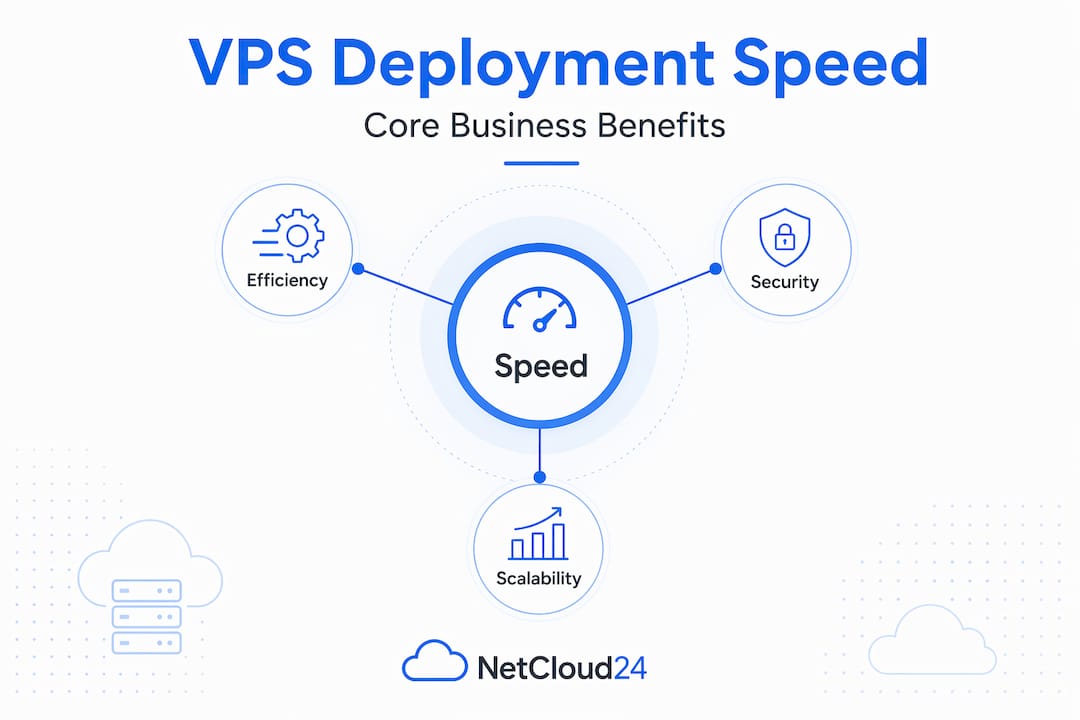
The benefits of fast VPS deployment are not limited to shaving minutes off provisioning time. When your team can spin up a production-ready server in under five minutes, you change how your entire operation handles demand spikes, security incidents, and product rollouts.
Consider what slow deployment actually costs. A new client onboarding that requires a dedicated server environment can stall for hours if provisioning is sluggish. A traffic surge during a product launch exposes your shared hosting limits, and if you can't scale quickly, you lose conversions. Over half of online shoppers say site performance affects their purchasing intent, which means every minute of degraded performance carries a measurable revenue consequence.
The fast VPS advantages extend well beyond uptime metrics:
- Reduced business disruption. Rapid provisioning means new environments are live before problems cascade. Your team resolves incidents in minutes, not hours.
- Competitive agility. When your product team needs a staging environment or QA server, same-day delivery keeps development cycles moving.
- Operational scalability. Traffic spikes and seasonal demand don't require pre-planned over-provisioning. You scale on demand and only pay for what you use.
- Security response speed. When a vulnerability is discovered, re-deploying a clean, patched environment within minutes limits exposure windows significantly.
- Faster release cycles. Development and IT teams can push updates, test configurations, and roll back experiments without scheduling maintenance windows around slow provisioning.
The fast VPS advantages also compound when you pair speed with good infrastructure. Security, redundancy, and scalable cloud server options all become more valuable when you can act on them without a 24-hour provisioning delay.
Pro Tip: When evaluating VPS deployment efficiency, don't just measure provisioning time. Measure total time from decision to production-ready. That includes OS configuration, firewall setup, and application install. A provider with pre-configured environments will consistently beat a DIY setup by hours.
Technical factors that drive VPS deployment speed
Speed is not magic. It comes from specific hardware and software decisions that your provider either makes well or doesn't.
Storage: the biggest single variable
NVMe storage delivers speeds up to 6x faster than standard SSDs, which directly reduces disk I/O latency during both initial provisioning and live application operation. When your OS image writes to disk during server creation, NVMe completes that process in seconds rather than minutes. For any workload running databases, ERP systems, or accounting software, that difference accumulates with every query and every file access.
Virtualization technology
Not all VPS hosting uses the same virtualization stack. KVM virtualization provides hardware-level isolation, which matters for complex workloads. KVM boots in 10 to 30 seconds versus near-instant startup for container-based systems, but it delivers performance isolation that container-based VPS cannot match. For businesses running Docker, Kubernetes, or CI/CD pipelines, KVM is the correct choice. Container-based VPS boots faster but shares the host kernel, which creates noisy neighbor risk during load spikes.
Network quality and data center proximity
Multiple data centers and well-connected networks reduce downtime and improve responsiveness for time-critical applications. If your user base is in Ireland and your server is in Singapore, no amount of NVMe storage compensates for the latency. Geographic proximity to end users is a technical requirement, not a preference.

Provisioning scripts and cloud-init
Here is where many deployments fail silently. Heavy cloud-init scripts cause provisioning timeouts that stretch to 20 or 40 minutes and sometimes result in failed deployments entirely. The correct approach is:
- Keep cloud-init tasks minimal. Limit initial provisioning to OS setup, network configuration, and security hardening.
- Use post-provisioning scripts for complex operations like application installs, database migrations, or dependency chains.
- Test your provisioning script against clean images regularly. Assume the environment is fresh every time.
- Monitor provisioning outcomes with automated health checks so failures surface immediately rather than hours later.
| Infrastructure Factor | Impact on Deployment Speed | Best Practice |
|---|---|---|
| NVMe storage | Very high | Require NVMe; reject SATA-based VPS |
| Virtualization (KVM vs container) | Medium to high | Choose KVM for enterprise workloads |
| Data center proximity | High for latency | Select region closest to user base |
| Cloud-init script weight | Very high for provisioning | Keep lightweight; move tasks post-boot |
| Network bandwidth | Medium | Verify bandwidth caps at peak usage |
Pro Tip: Ask your VPS provider specifically what is installed on the base image before provisioning begins. Providers with pre-configured Windows Server environments with RDS licensing already included remove the most time-consuming provisioning steps from your workflow entirely.
Zero-downtime deployment strategies
Speed alone cannot protect your users. The importance of VPS speed is only realized when it is paired with deployment strategies that maintain availability during updates and changes.
Achieving availability above 99.95% during deployments with error rates below 0.2% is achievable, but it requires deliberate architecture. Three deployment techniques are standard in 2026 production environments:
- Rolling updates. New instances replace old ones gradually. At no point is the entire service taken offline. Traffic continues flowing to healthy nodes while updates propagate.
- Canary deployments. A small percentage of traffic routes to the updated version first. If error rates stay below threshold, the rollout continues. If they spike, rollback is automatic.
- Blue-green deployments. Two identical environments run in parallel. Traffic switches from the live environment to the updated one in a single DNS or load balancer change, with instant rollback capability.
None of these techniques work without supporting mechanisms. Zero-downtime deployment requires coordination over traffic management, health checks, backward compatibility, and rollback mechanisms. Readiness probes confirm a new instance can accept traffic before it receives any. Liveness probes detect when a running instance has become unresponsive. Graceful shutdowns allow active connections to complete before the old instance terminates.
Automated rollback systems triggered by real-time SLO monitoring during canary deployments reduce recovery time significantly faster than manual intervention. The moment your error rate crosses threshold, the system should revert without waiting for a human to notice.
For businesses running ERP systems, accounting software, or CRM platforms on VPS, this level of deployment engineering matters operationally. A botched update during business hours that takes down Sage or a database server is not a minor inconvenience. It is lost hours for every employee using that system. A well-engineered secure VPS setup treats deployment reliability as part of the security posture, not separate from it.
When your business actually needs fast VPS deployment
Not every business needs to migrate to VPS hosting today. Businesses should only migrate to VPS hosting when facing specific operational triggers. Moving too early wastes budget. Moving too late costs you more in downtime and lost performance than the migration would have.
The real operational triggers look like this: your shared hosting environment throttles CPU during peak hours, your application response times increase as user count grows, you need dedicated resources for compliance or security reasons, or your development team cannot get test environments fast enough to keep pace with releases. These are not hypothetical scenarios. They are the inflection points where VPS deployment efficiency pays back its cost immediately.
The comparison between shared hosting and VPS is not about price per month. It is about total operational cost including downtime, degraded user experience, and IT team time spent firefighting resource contention.
| Consideration | Shared Hosting | Fast VPS |
|---|---|---|
| Resource allocation | Shared with other tenants | Dedicated CPU/RAM |
| Deployment speed | Limited by provider panels | Minutes with pre-configured images |
| Scalability | Fixed tiers, slow upgrades | On-demand resource adjustment |
| Security isolation | Shared environment risk | Isolated at hypervisor level |
| Compliance suitability | Limited | Meets GDPR and enterprise standards |
| Cost at scale | Lower initially, higher long-term | Predictable, scales with use |
For startups, fast VPS for startups is not a luxury. When your infrastructure can't keep pace with your product, you lose users before you even have a chance to retain them. The ability to deploy a new environment in minutes means your team can build, test, and iterate without infrastructure becoming the bottleneck.
VPS deployment efficiency for remote work also plays a distinct role. When teams are distributed across locations and depend on remote desktop access to business applications, provisioning speed directly affects how quickly new team members can become operational.
My take on fast deployment claims
I've reviewed a lot of VPS providers over the years, and the term "instant deployment" gets used loosely enough to be nearly meaningless. What I've learned is that testing infrastructure under load before committing to a long-term contract is not optional. It's the difference between a provider that performs in a demo and one that holds up at 3 AM during a traffic spike.
My honest observation is that most deployment problems I've seen were not caused by the provider. They were caused by teams that never tested their provisioning scripts against a clean environment, assumed their cloud-init setup was lightweight when it wasn't, and skipped health checks because deployment "usually works." That usually is where production incidents live.
What I've found actually moves the needle is measuring deployment success by uptime and user impact, not by how many seconds provisioning takes. A team that deploys in five minutes with a solid rollback strategy is in a better position than a team that deploys in 30 seconds into an environment that has never been stress-tested. Fast deployments empower your team to iterate, respond to incidents quickly, and run experiments without fear. But that empowerment only exists when the speed is matched by the reliability of the underlying system.
If you're evaluating providers, ask for specifics: what does the base image include, how are backups handled, and what SLO does the infrastructure guarantee during deployments? A provider that answers those questions precisely has earned the right to talk about speed.
— Lukasz
Get production-ready in minutes with Netcloud24
If the principles covered in this article describe exactly what your business needs, Netcloud24 delivers it without requiring you to assemble the pieces yourself.

Netcloud24 provides enterprise-grade Windows VPS hosting with NVMe storage, pre-configured Windows Server environments with RDS licensing included, and deployment that has your team operational within five minutes. There is no lengthy provisioning queue and no post-deployment configuration marathon. The platform is built specifically for Irish businesses running ERP systems, accounting applications like Sage and Xero, databases, and multi-user business tools. Security is built in from the start, including firewalls, VPN access, and GDPR-compliant infrastructure. Automatic backups, 24/7 technical support, and flexible resource scaling mean you get the fast VPS advantages covered throughout this article without trading reliability for speed. Read more about pre-configured VPS solutions designed specifically for Irish enterprises.
FAQ
Why does fast VPS deployment matter for business operations?
Fast VPS deployment reduces the time between identifying a business need and having a production-ready server. This directly lowers downtime risk, accelerates release cycles, and improves your team's ability to respond to incidents or traffic surges.
How fast is VPS deployment with a good provider?
With pre-configured environments and NVMe storage, a quality VPS provider can have a Windows Server environment ready in under five minutes. Providers that require manual OS configuration or run on SATA-based storage will typically take significantly longer.
What is the difference between fast deployment and zero-downtime deployment?
Fast deployment refers to how quickly a new server is provisioned. Zero-downtime deployment refers to the techniques used to update a running application without interrupting users. Both matter, but they address different operational risks.
When should a business move from shared hosting to VPS?
The right time to move is when shared hosting shows resource contention, throttling during peak hours, or compliance limitations. Migrating too early wastes budget, but waiting until performance degrades visibly means you are already losing users and revenue.
What technical factors have the biggest impact on VPS deployment speed?
NVMe storage, lightweight provisioning scripts, and data center proximity to your user base are the three most impactful factors. KVM virtualization adds performance isolation for enterprise workloads, even though container-based systems boot faster.